


Phone speaker cleaner
4.536.00 Reviews
App Specs
- Version
- 19.0
- Updated On
- License
- Free
- Downloads
- 1,000,000+
- Developer
- Galaxy studio apps
- Categories
- Personalization
- Platform
- Android
Screenshots
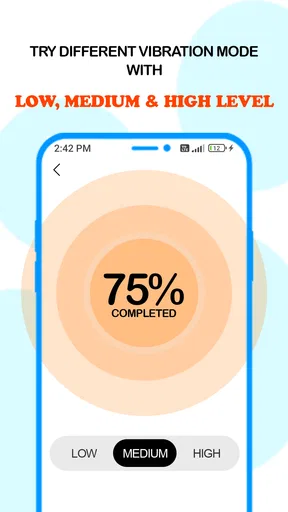
 Analysis by AppCompare
When a phone’s audio suddenly sounds dull, it is tempting to assume the speaker is damaged—or to poke at the grille and hope for the best. I would rather start with a gentle, low-effort check. Phone Speaker Cleaner is a free personalization app from Galaxy studio apps that uses sound playback as a way to address possible debris around a phone speaker. It is a modest idea, and that is the right expectation to bring: it may help with a minor obstruction, but it cannot repair worn or broken hardware.
What a sound-based cleaner can—and cannot—do
The app’s approach is different from brushing a speaker grille or taking a phone to a repair shop. Instead of touching the device, it plays tones intended to loosen particles near the speaker. That makes it easy to try when the sound change is recent and the phone has otherwise been working normally. It does not mean that every muffled call or quiet video is caused by dust, though. A software setting, the audio source, a connected accessory, or physical damage can produce similar symptoms.
I find it useful to treat the cleaning session as a first check rather than a diagnosis. Before running it, I would play a familiar clip at a comfortable volume and note what seems wrong: low volume, rattling, distortion, or sound coming from an unexpected place. Afterward, replay the same clip under similar conditions. This simple comparison is more informative than relying on memory, especially if the difference is subtle.
Readability and navigation
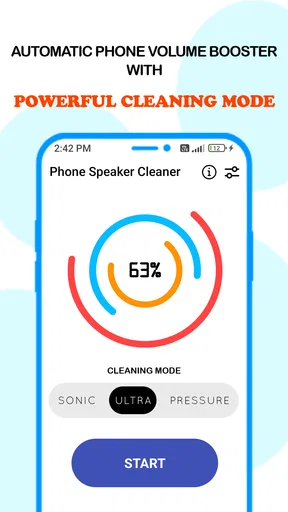
So, I installed the Phone Speaker Cleaner app out of sheer curiosity. The app’s interface is super straightforward, which is a breath of fresh air. No overwhelming buttons or complicated settings. Just a clean, simple layout that even the least tech-savvy person could navigate.
Upon launching the app, you’re greeted with a quick tutorial that walks you through the basic functions. It’s like having your hand held by a friendly guide who genuinely wants your phone’s speaker to sing again. I appreciated this touch, especially since it set the stage for what the app is all about.
That guided start matters for more than convenience. A person who is unsure how phone audio works can follow the main task without having to learn technical terminology first. I would still take a moment to read each instruction rather than tapping quickly through it, because the app’s purpose is easier to understand when you know what the sound test and cleaning steps are meant to show.
The cleaning process and a practical way to judge it
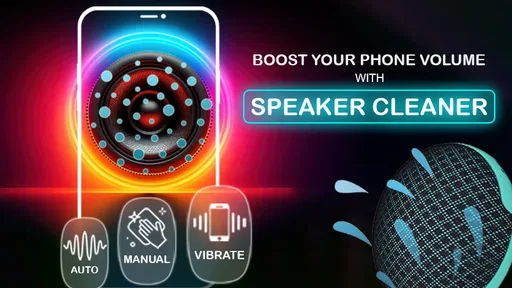
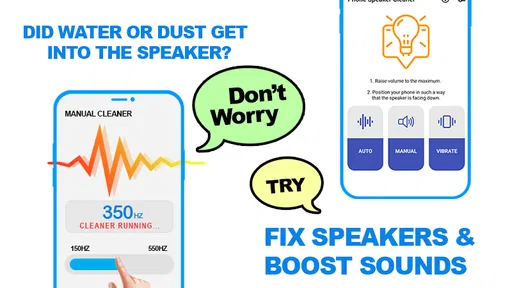
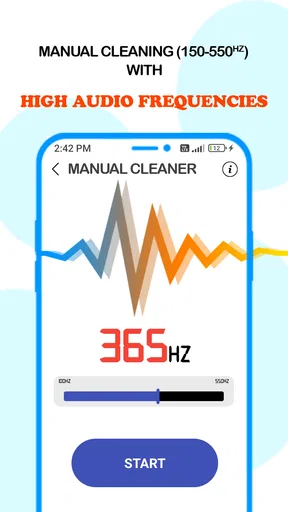
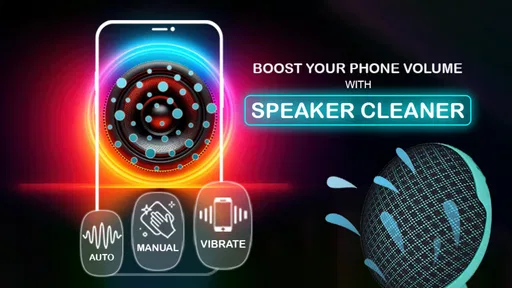
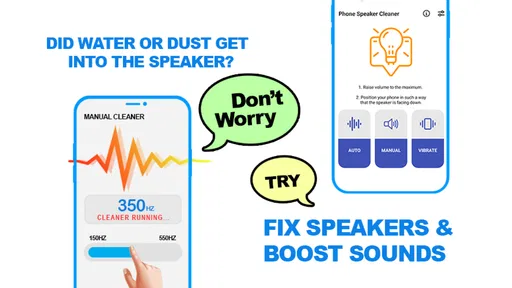
Here’s where the magic happens. The app uses a series of sound frequencies to dislodge any dust or debris that might be clogging your speaker. It’s like giving your phone a mini spa treatment! Essentially, it plays sounds that are designed to loosen up particles, letting them fall away from the speaker grill.
Worth Reading Before You Choose

EA SPORTS FC Mobile 26 Is a Bigger Football Game, but It Takes Time

Flipboard Shows What News Apps Must Do Beyond the Feed

Switching to Android Auto Means Rethinking Your Driving Routine

Google Calendar Makes a Crowded Week Easier to Manage

Ludo King Makes the Most of the Minutes Between Plans

Baby Panda World Brings Quick Play to Modern Phones, but Its Game Library Feels Busy
I was a bit skeptical at first. I mean, can sound really clean a speaker? But I gave it a shot. After running the cleaning process, which takes just a few minutes, I noticed a slight improvement in sound clarity. It wasn’t a night-and-day difference, but my speaker did sound a bit crisper.
A useful trade-off is that this method is non-contact: there is no need to insert anything into a small opening. That is appealing if you are worried about damaging the grille with a pin or scraping tool. Still, sound is not a substitute for physical cleaning when grime is stuck on the outside, and it should not be treated as a way to force liquid or a large obstruction out. I would never raise the volume uncomfortably or keep repeating the process in the hope that a serious fault will disappear.
Motor and sensory considerations
Because the main task involves listening and starting a process on the screen, it is relatively simple for someone who can comfortably use the phone’s controls and hear the playback. The short, guided flow may suit people who prefer a clear sequence over a set of technical options. I would run it somewhere quiet enough to hear the result, but not in a way that makes the tone unpleasant or disruptive to anyone nearby.
For someone with hearing loss, the sound test may be less useful as a personal before-and-after check; another listener could help judge whether the output changes. If tapping small controls is difficult, the app’s uncomplicated layout may reduce effort, though I would not assume every control is equally easy on every device. A person sensitive to high or repetitive sounds may prefer to skip the session. In that case, checking volume settings, trying another audio source, or asking a trusted person to listen can be a more comfortable first step.
When to use it—and when another option is better
Now, the app suggests using its cleaning feature once a week. I’m usually not one to follow app recommendations to the letter, but I decided to test it out for a couple of weeks. I ran the cleaner every Sunday, and while it didn’t completely transform my phone, it did maintain the sound quality, preventing it from deteriorating further.
For those moments when your speaker seems quieter than usual, reaching for this app could be a quick fix. However, don’t expect it to work miracles if your phone’s speaker has been through a lot of wear and tear.
One realistic time to try it is after a day outdoors, when a phone has been carried in a pocket or bag and its audio seems a little less clear than usual. I would first remove any case that might be covering the speaker, check that the media volume is set appropriately, and test more than one familiar sound. If the problem appears only in one app or one recording, the speaker itself may not be the cause. If sound remains distorted across calls and media, repeated cleaning sessions are unlikely to be the best next move.
Compared with the usual alternatives, this app is less hands-on than a soft, dry brush and less conclusive than professional inspection. A brush can address visible surface dust, while a technician can assess damage that a sound routine cannot identify. The app occupies a narrower middle ground: it is convenient when the issue seems minor, but it should not delay help if the phone has been dropped, exposed to moisture, or continues to sound wrong. I would avoid sharp tools and liquids around the speaker, regardless of which method I try.
Extras, reminders, and everyday use
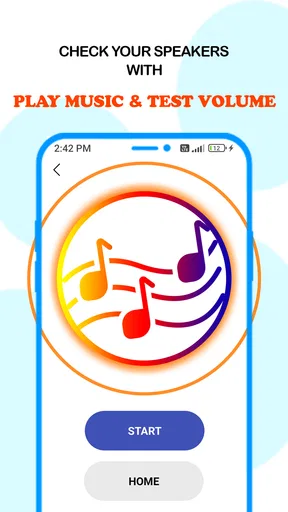
Besides the main cleaning function, the app also offers a few extras. There’s a sound test feature that lets you compare your speaker’s performance before and after cleaning. It’s a neat way to gauge if the app is actually making a difference.
Another feature is the notification reminder, which you can set up to nudge you when it’s time for another cleaning session. It’s a small, thoughtful addition that can be quite handy if you’re forgetful like me.
I would use the reminder as a prompt, not as proof that a weekly routine is necessary for every phone. If the speaker sounds normal, there may be no practical reason to run a session just because a notification appears. The more useful habit is to notice a change, check the basics, and use the test to see whether the cleaning step seems to help. That keeps the app in the role of an occasional maintenance aid rather than a cure-all.
One question people often have is whether the app is free to try. It is free to install, while in-app purchases are listed from $0.99 to $99.99 per item, so I would review any purchase prompt carefully and avoid paying unless a specific extra is clearly useful to me. The app is rated for Everyone, runs on Android 8.0 or later, and its current version is 19.0. Its average rating is 4.5 from around 11,000 ratings, with 36 written reviews and over 500,000 installs. Those figures suggest that many people have tried it, but they cannot tell me whether it will fix a particular phone’s audio problem.
Situational access and remaining barriers
Phone Speaker Cleaner is most appealing when someone wants a quick, low-contact step and can safely play audio in their surroundings. It may be handy at home before a call, or when checking a phone after ordinary pocket or bag use. It is less suitable in a quiet shared space, during a meeting, or for anyone who finds test tones uncomfortable. Waiting until a private moment is a practical way to avoid disturbing others and to hear the result more clearly.
There are also limits to what a simple interface can solve. People who cannot comfortably hear the tones may not be able to judge the test themselves, and anyone whose speaker is physically damaged needs a different kind of help. The app is not the right choice if the phone has a serious audio fault, if the sound is painful, or if repeated attempts make no noticeable difference. In those cases, stopping is more sensible than treating more playback as better cleaning.
My inclusive verdict
At the end of the day, the Phone Speaker Cleaner app is a nifty tool to have in your digital toolkit. It’s not a miracle worker, but it does offer a simple, convenient way to maintain your phone’s speaker health. If you’re dealing with minor sound issues, this app is definitely worth a try.
Overall, I’d say this app is a solid choice for anyone looking to keep their phone’s audio output in check without diving into the world of tech repairs. Give it a whirl, and you might just find that it becomes a go-to solution for those pesky speaker problems.
My recommendation is measured: try it when the sound change is mild, compare before and after under the same conditions, and stop if the tones are uncomfortable or the problem persists. Its uncomplicated flow can lower the barrier to a basic check, but it cannot make the listening-based test equally useful for everyone. If you need a method that does not rely on hearing, prefer a physical inspection by someone qualified; if you simply want a gentle first step, this app is an easy option to consider.
Pros
- Quickly clears water from speakers.
- User-friendly interface for all ages.
- No ads
- ensuring a smooth experience.
- Effective sound frequency cleaning.
- Lightweight app with minimal storage.
Cons
- Limited to one cleaning method.
- No manual frequency adjustment.
- Requires sound at high volume.
- No additional audio enhancements.
- Not available offline.
FAQs for Phone speaker cleaner
How does the Phone Speaker Cleaner app work?
The Phone Speaker Cleaner app uses sound frequencies to expel dust, water, and debris from your phone's speaker. By emitting specific sound waves, it creates vibrations that help dislodge particles stuck in the speaker grill, thereby improving sound quality and performance.
Is the Phone Speaker Cleaner app safe to use on all devices?
Yes, the Phone Speaker Cleaner app is designed to be safe for use on most Android and iOS devices. However, it's advisable to check your device's compatibility and follow the app instructions carefully to avoid any potential damage or malfunctions.
Can the Phone Speaker Cleaner app fix water-damaged speakers?
While the app can help remove moisture from the speaker area, it is not a guaranteed fix for water-damaged speakers. For severe water damage, it's best to seek professional repair services. The app is most effective for minor moisture issues and debris removal.
How often should I use the Phone Speaker Cleaner app?
The frequency of use depends on your environment and usage habits. If you frequently expose your phone to dusty or damp conditions, using the app once a week could be beneficial. Otherwise, using it once a month should suffice to maintain optimal speaker performance.
Does the Phone Speaker Cleaner app require internet access?
No, the Phone Speaker Cleaner app typically does not require internet access to function. It operates using pre-installed sound frequencies, allowing you to clean your speakers offline. This makes it convenient for users without consistent internet connectivity.


